
Voice-first, hands free
Talk or type. Say “Hey Jarvis” with Active listening on, or click Speak and talk. Replies come back in a natural voice in Portuguese, English or Spanish.
Jarvis is a voice-first personal assistant that lives on your desktop. It keeps a long-term memory, drafts your mail, reminds you, finds your files and gets real work done, with you in control of every step.
Free plan · macOS desktop app and web · cancel anytime
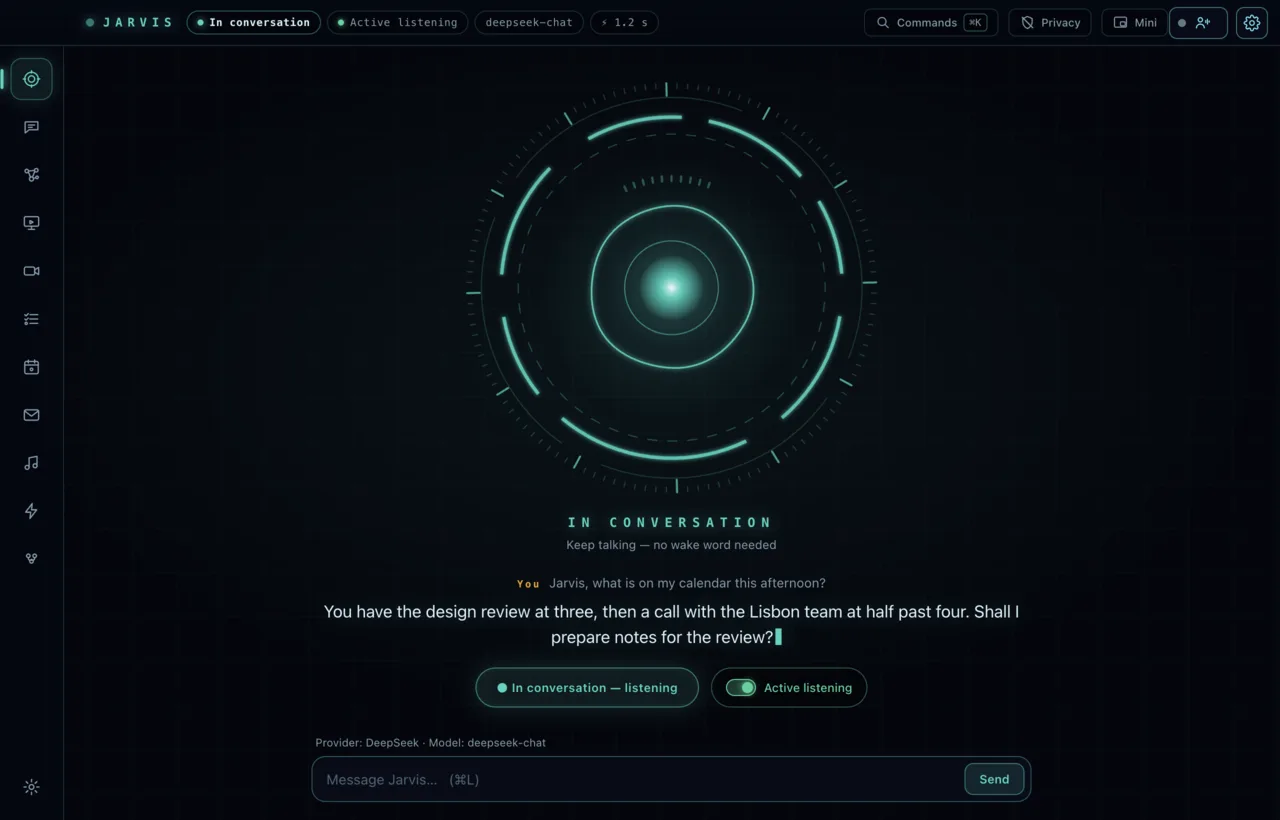
Captured from the real desktop app with sample data.
What it does
Everything below ships in the desktop app today.
Talk or type. Say “Hey Jarvis” with Active listening on, or click Speak and talk. Replies come back in a natural voice in Portuguese, English or Spanish.
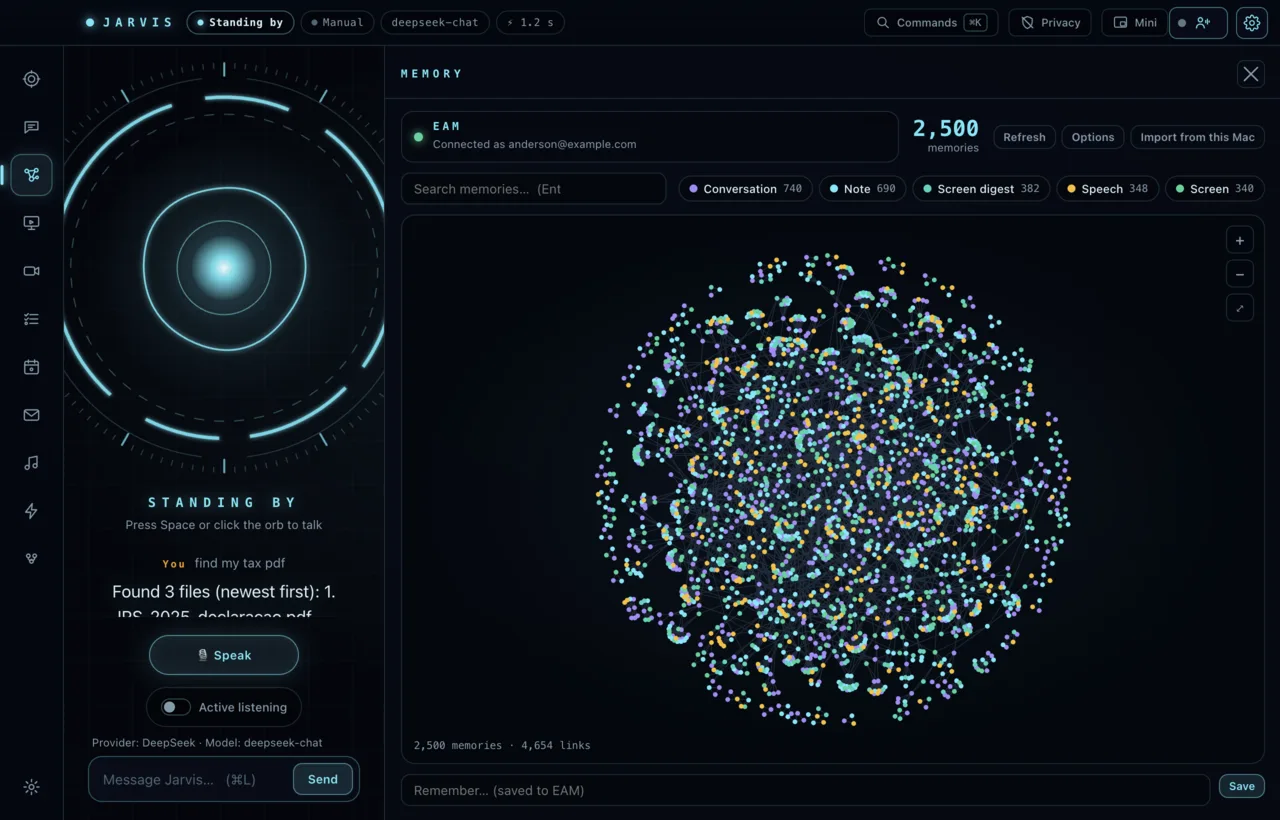
Jarvis saves the facts, preferences and decisions worth keeping to EAM, recalls them on every turn, and lets you search, edit or delete any memory.
Find and summarise files, control music and volume, set timers and reminders, run Shortcuts, and hand coding jobs to Claude Code or another agent CLI.
Connect Google or Outlook. Jarvis reads your agenda and inbox and writes drafts. It never sends a message on its own.
Turn on the camera or screen view and ask “what do you see?”. Hand gestures run on your Mac. Frames are sent only when you ask, and never stored.
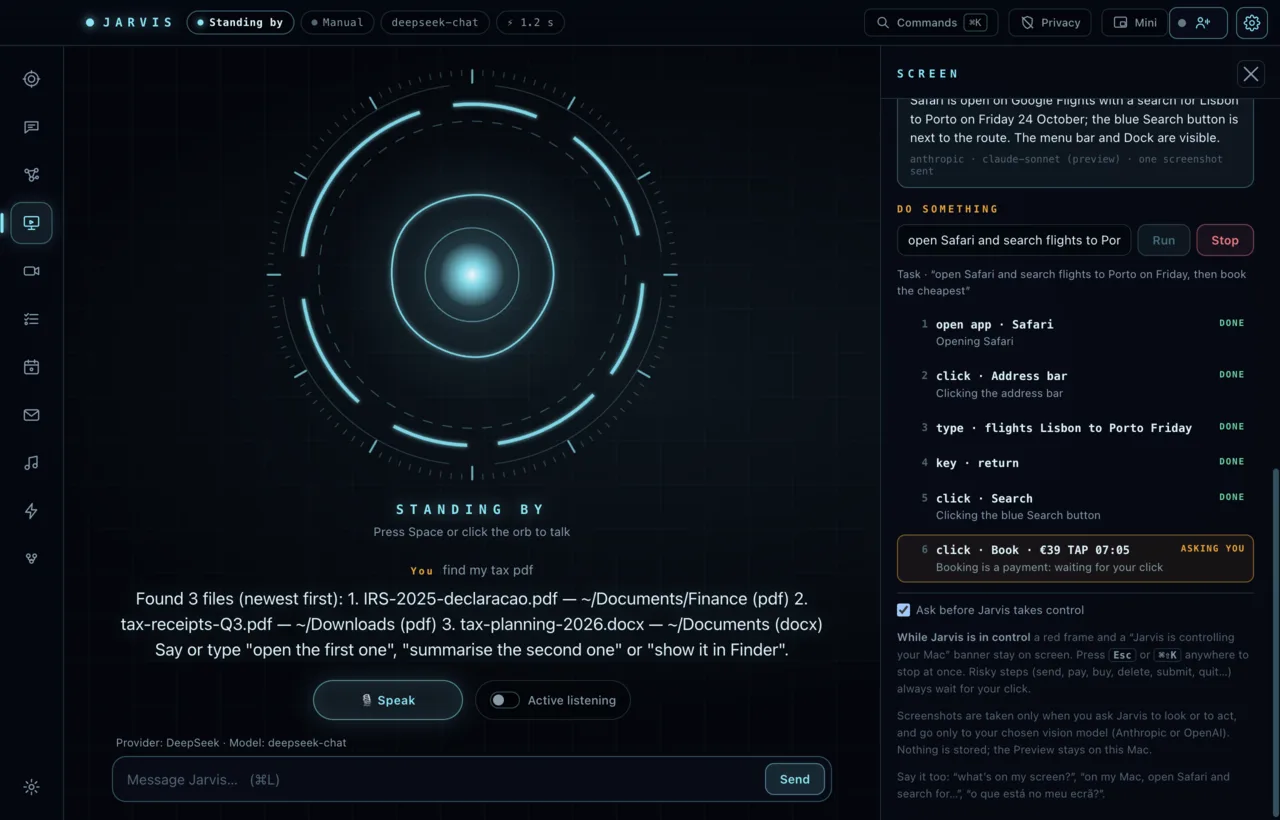
A red frame and a kill hotkey whenever Jarvis controls your Mac, a confirmation before anything irreversible, and one-key Privacy mode that cuts mic, camera and screen.
Memory
Every turn, Jarvis recalls what matters and saves new facts. Browse them as a graph, search, edit or delete. Secrets and sensitive categories are never kept.
Control, on your terms
Screen control is off by default. When you allow a task, Jarvis shows a red frame, stops the instant you press Esc, and asks before anything risky such as sending, paying or deleting.
How it works
One Thundera account signs you in to Jarvis, EAM and every other Thundera app.
Paste your own DeepSeek, OpenAI or Anthropic key, or subscribe and use hosted models with nothing to set up.
Click Speak, or turn on Active listening and say “Hey Jarvis”. Ask, remember, remind, draft, find.
Also in the box
Pair the web app and read your conversations on your phone. History is end-to-end encrypted on your devices; Thundera stores only ciphertext.
Your provider keys stay in your device’s secure storage and calls go straight to the provider you chose.
Local speech recognition and your own Ollama model keep working without a connection.
“Daqui a vinte minutos” or “remind me at nine”. Synced to Apple Reminders.
Launch Claude Code, Codex and other CLIs as supervised tasks with a written contract.
Pricing
Billed monthly through your Thundera account. Prices in USD, excluding VAT where it applies.
Get Jarvis
The full experience: voice, wake word, screen control, camera. The signed release build is being prepared; sign in and we will point you to it.
Open the web app for conversations, your subscription and pairing. Add it to your phone’s home screen.
No. The free plan uses your own provider key (DeepSeek, OpenAI, Anthropic or OpenRouter). Paid plans add hosted models, the premium Jarvis voice and encrypted cloud sync of your keys.
In EAM, Thundera’s memory service, tied to your Thundera account. You can view, edit and delete every memory, and turn recall and auto-saving off in Settings.
No. Jarvis drafts. Sending needs your confirmation every time.
The text of your conversation goes to the model you chose. Speech goes to the speech service when enabled and stays local otherwise. Camera and screen frames are sent only when you ask, and never stored. Privacy mode cuts all capture. See Privacy.
Portuguese, English and Spanish are first-class for voice. You choose your preferred and allowed languages in Settings.
Not yet. macOS comes first.